Prayers at a Glance: Your Mac's Ultimate Spiritual Companion 🕌✨
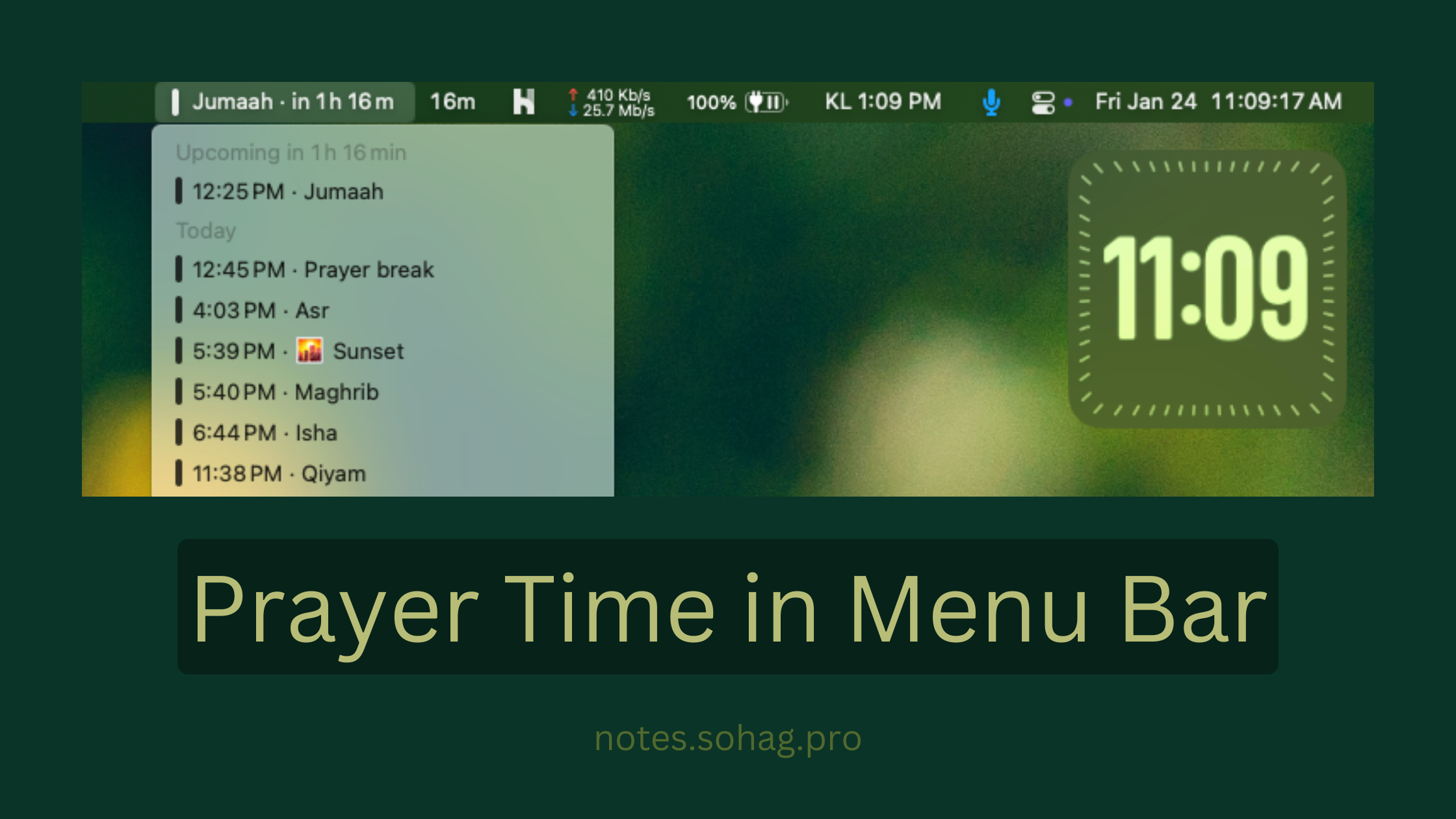
How to show prayer times in menu bar (MacOS)
Ever wished your Mac could keep you connected to your spiritual routine without constant phone-checking? I've got a super simple hack that'll transform your menu bar into a prayer time tracker!
What You'll Need:
A Mac
Internet connection
Google Calendar
Notion Calendar
Step-by-Step Prayer Time Setup:
Find Your Prayer Web Calendar

Set up your specific location
Customize prayer time settings
Grab Your ICS URL
Scroll to the bottom of the page
Copy the unique URL, something like this:
https://prayerwebcal.dsultan.com/ics/Dhaka_Dhaka_Bangladesh/cs=1:do=15:es=1:id=1:j=1:js=1:mv=1.0:nm=12:tz=Asia%2FDhaka:x=23.804:y=90.415
Add to Google Calendar

Open Google Calendar
Click the "+" icon next to "Other Calendars"
Select "From URL”

Paste your copied prayer time URL
Click "Add Calendar"
Install Notion Calendar
Download from https://www.notion.com/product/calendar
Install and log in with your Google account

From Settings > General > Set to run on startup
Configure Menu Bar

Open Notion Calendar settings
Click on "Menu Bar"
Enable Menu Bar
Adjust display preferences
And voilà! Your Mac's menu bar is now your personal prayer time companion. No more missed prayers or constant phone-checking – spiritual mindfulness, meet tech convenience! 🙌📱
About the author
WhoAmI => notes.sohag.pro/author
Comments
Join the discussionNo comments yet. Be the first to comment.